
Download Scrawly.ai – AI Voice Generator for Notes, Tasks & Productivity
Overview
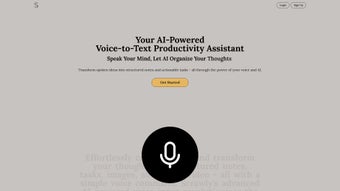
Scrawly.ai is a web‑based AI voice generator that transforms spoken ideas into organized, actionable content. Whether you’re a busy professional, a creative writer, or a student juggling multiple projects, Scrawly.ai captures your voice, transcribes it with high accuracy, and instantly formats it into structured notes, to‑do lists, and even visual concepts. The platform’s core promise is to eliminate the friction between thinking and execution: you speak, the AI listens, and the tool delivers polished output ready for immediate use.
Built on a secure cloud infrastructure, Scrawly.ai guarantees that your data is encrypted both in transit and at rest, giving you peace of mind when handling sensitive information. Its subscription model includes regular updates, priority support, and future integrations with popular productivity suites like Slack, Gmail, and Notion. While the price point may feel premium for some users, the depth of its voice‑to‑text engine, intelligent prioritization, and built‑in editing suite make it a compelling investment for anyone looking to streamline idea capture and task management in a single, cohesive environment.
Core Features & Benefits
- Accurate Voice‑to‑Text Conversion: Powered by state‑of‑the‑art speech recognition, Scrawly.ai delivers near‑human transcription accuracy across multiple accents and languages.
- Smart Prioritization Engine: The AI automatically tags and ranks tasks based on urgency, deadline, and relevance, helping you focus on what matters most.
- Intelligent Reminders: Context‑aware notifications appear at optimal times, reducing the chance of missed deadlines.
- AI‑Enhanced Editing Suite: Includes AI rewriting, smart summarization, and tone adjustments directly within the web editor.
- Multimedia Creation: Generate AI‑crafted visuals, diagrams, or quick sketches that accompany your notes, turning abstract ideas into concrete prototypes.
- Personalized Productivity Insights: Scrawly.ai analyzes your content patterns and offers daily tips to boost focus, reduce procrastination, and improve workflow.
- Future Integrations: Planned connectivity with Slack, Gmail, Trello, and other collaboration tools to keep your ideas in sync across platforms.
- Secure Cloud Storage: All recordings and generated content are encrypted, with GDPR‑compliant data handling practices.
Each feature is designed to reduce manual effort and keep your creative momentum flowing. For example, the AI summarization tool can condense a 10‑minute brainstorming session into a concise bullet‑point list in seconds, while the visual generator can instantly produce a mood board based on spoken descriptors. This level of automation frees up mental bandwidth, allowing you to concentrate on higher‑order thinking rather than administrative overhead. The platform also supports collaborative sharing, letting team members view, comment, or edit captured ideas in real time, making remote brainstorming sessions more productive than ever.
Getting Started: Installation, Compatibility, Pros & Cons, and Frequently Asked Questions
Installation & Usage Instructions
Because Scrawly.ai is fully web‑based, there is no traditional installation process. Simply visit scrawly.ai, create an account, and you’re ready to start recording. The onboarding wizard walks you through microphone permission setup, voice model calibration (a brief 30‑second sample helps the AI adapt to your speech patterns), and basic navigation of the editor. Once calibrated, you can click the prominent “Start Recording” button, speak naturally, and watch the transcription appear in real time on the right‑hand pane. Editing tools are accessible via a toolbar that offers one‑click actions such as “Summarize,” “Rewrite,” or “Add Visual.” The platform also provides keyboard shortcuts for power users, enabling quick toggling between voice capture and text editing without leaving the browser.
For teams, the “Workspace” feature allows you to create shared folders where multiple members can contribute voice notes and collaborate on the same document. Export options include PDF, Markdown, and plain text, and you can also push completed tasks directly to integrated services (once integrations become live). The subscription includes unlimited recordings, priority AI processing, and access to premium templates for meeting minutes, project briefs, and creative briefs.
Compatibility
Scrawly.ai runs on any modern browser (Chrome, Edge, Firefox, Safari) and is fully responsive on desktop, tablet, and mobile devices. Because it operates in the cloud, the underlying operating system is abstracted away – you can use Windows 10/11, macOS, Linux, Android, or iOS without any loss of functionality. The only requirement is a stable internet connection and a microphone (built‑in or external) with permission granted to the browser.Pros and Cons
- Pros
- High‑accuracy voice transcription across accents.
- AI‑driven prioritization and smart reminders.
- Integrated editing tools eliminate the need for separate apps.
- Secure, encrypted cloud storage.
- Future‑proof with upcoming integrations.
- Cons
- Subscription cost may be prohibitive for casual users.
- Reliance on an internet connection; offline mode is not yet available.
- Initial voice calibration takes a short amount of time.
- Advanced visual generation is still in beta and may produce generic results.
Frequently Asked Questions
Is Scrawly.ai free to use?
Scrawly.ai offers a 14‑day free trial that provides full access to all premium features. After the trial, you need to choose a paid subscription plan to continue using the service.
Which browsers are supported?
The platform works with the latest versions of Chrome, Edge, Firefox, and Safari. For the best experience, keep your browser updated to the newest release.
Can I export my notes to other tools?
Yes, Scrawly.ai lets you export transcripts as PDF, Markdown, or plain text files. Future integrations will also allow direct syncing with Slack, Gmail, Trello, and Notion.
How secure is my data?
All data is encrypted in transit (TLS) and at rest (AES‑256). Scrawly.ai complies with GDPR and other major privacy regulations, ensuring your recordings and notes remain confidential.
Is there an offline mode?
Currently, Scrawly.ai requires an internet connection because the AI processing runs on cloud servers. An offline mode is on the roadmap for a future release.
Reviewer: Tech Insight Team
Rating: ★★★★☆ (4 out of 5)
Summary: Scrawly.ai excels at turning spoken ideas into organized, actionable content, but its subscription cost and lack of offline functionality keep it from a perfect score.
Final Verdict & Call to Action
In a world where time is the most valuable commodity, Scrawly.ai offers a powerful solution to capture thoughts instantly and transform them into structured, usable assets. Its blend of high‑fidelity voice transcription, AI‑driven prioritization, and a robust editing suite makes it stand out among generic dictation tools. While the price point may deter occasional users, professionals who regularly juggle meetings, brainstorming sessions, and task lists will find the return on investment compelling. The roadmap promises deeper integrations with the tools you already use, further cementing Scrawly.ai’s place in a modern productivity stack. If you’re ready to eliminate the friction between ideation and execution, give the free trial a spin, and experience firsthand how a simple voice command can drive your projects forward.
Start your free trial of Scrawly.ai today and discover a smoother, smarter way to manage ideas, notes, and tasks—all through the power of your voice.



.png)



